Share this article



Accelerating security solutions for small businesses Tagore offers strategic services to small businesses. | A partnership that can scale Tagore prioritized finding a managed compliance partner with an established product, dedicated support team, and rapid release rate. | Standing out from competitors Tagore's partnership with Vanta enhances its strategic focus and deepens client value, creating differentiation in a competitive market. |
PHP has released security updates for critical vulnerabilities known as PHP2Shell. The potential blast radius is substantial: PHP is estimated to be used by roughly 70% of websites whose server-side programming language is known. Because the flaws sit in PHP itself, exposure can extend across applications, hosting providers and vendor services running affected versions.
For security teams, the priority is to identify where affected PHP is running, get it updated and understand whether a vendor’s exposure could affect your data or operations.
PHP2Shell can let an attacker run code on an affected web server without authentication. It can also expose information held in server memory, including credentials used by the application.
The issues are tracked as CVE-2026-109618 and CVE-2026-109619. Both concern how PHP manages memory during the lifecycle of a web request, particularly when processing is interrupted:
CVE-2026-109618 — Unsafe cleanup after memory exhaustion. An out-of-memory error can interrupt PHP while internal data structures are only partially initialized. During request cleanup, PHP may then treat that incomplete data as valid, creating a memory-corruption condition that can lead to remote code execution.
CVE-2026-109619 — Stale memory references between requests. PHP may retain references to a request’s data after the memory containing it has been freed. When the same PHP worker handles a later request, it can access those outdated references before they are reset. This creates a use-after-free condition that can enable memory disclosure or code execution.
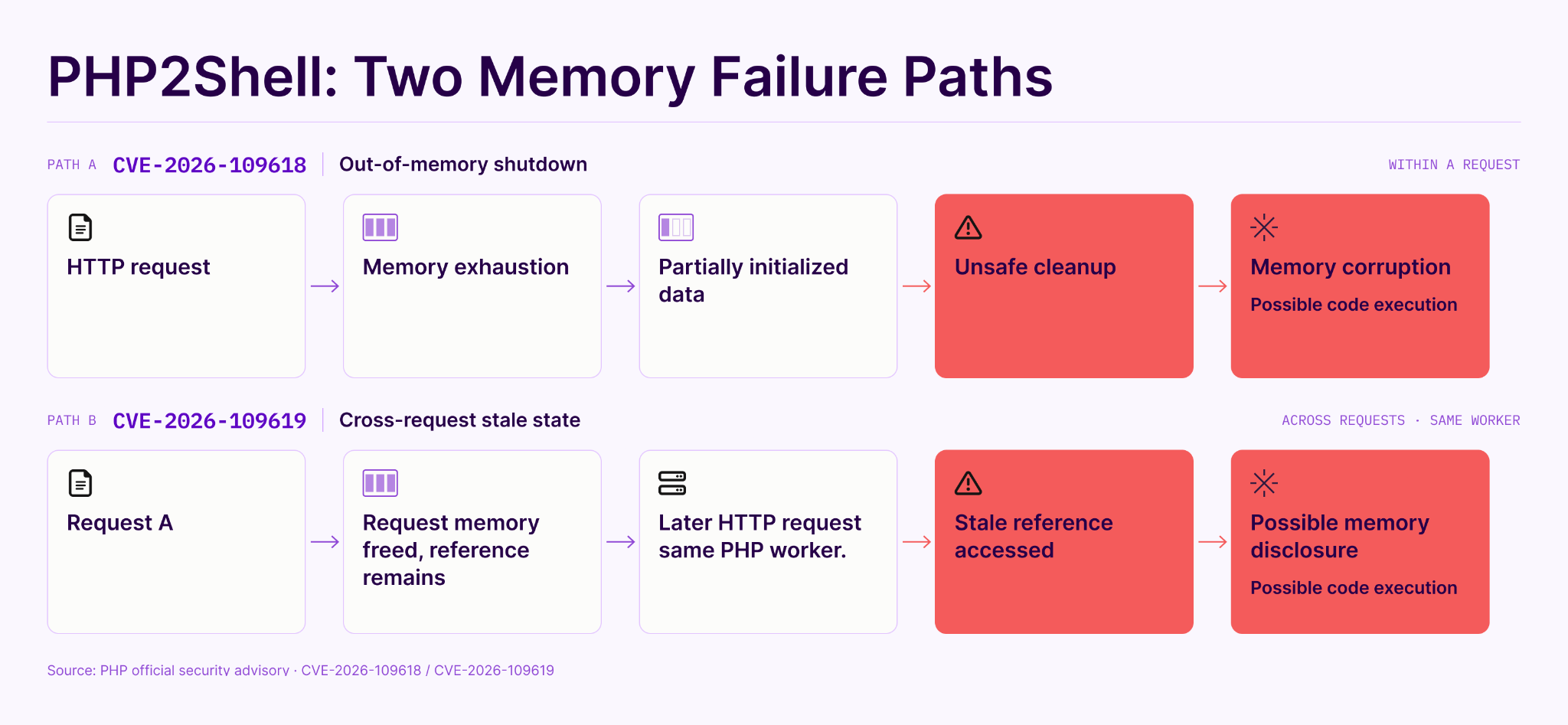
An application can be fully up to date and still run on a vulnerable PHP version. Updating WordPress, Drupal or Joomla does not necessarily update the PHP runtime underneath it.
Researchers demonstrated remote code execution against all three platforms, illustrating how the same underlying PHP flaws can affect different applications. Remediation must therefore include updating PHP itself, whether it is managed by your team or a hosting provider.
Affected releases date back to PHP 5.4. Check the PHP runtime behind your websites, APIs and custom applications.

Update to the fixed release or a later security release in the same series. PHP 8.1 and older are outside regular upstream support; upgrade or use a verified provider-patched build.
Providers may backport fixes without changing the PHP version number, so confirm patch status against your provider’s security advisory.
Update PHP promptly, including where it is bundled into a server or application image. WordPress’s guidance confirms that these issues require a PHP update rather than a WordPress update.
PHP’s widespread use creates a broad potential blast radius across the vendor ecosystem, even for organizations that do not run PHP themselves.
The impact depends on what an affected vendor’s systems hold, what they connect to, and which services they support:
A vulnerability at a vendor does not automatically mean your organization has been compromised. But it creates a reason to investigate where the exposure sits and how your business depends on the affected service.
Responding starts with knowing which vendors have relevant security findings and understanding the role of the affected assets. A finding on a public marketing website can have different implications from one on a customer portal or a system supporting the vendor’s core service.
Vanta’s Continuous Monitoring brings vendor security alerts and asset-role context into that review. This helps your team identify which findings need attention first, ask vendors more specific questions, and follow up on remediation.
Use that context alongside your knowledge of each vendor’s access and responsibilities: what information they handle, how they connect to your environment, and what would happen if their service became unavailable.
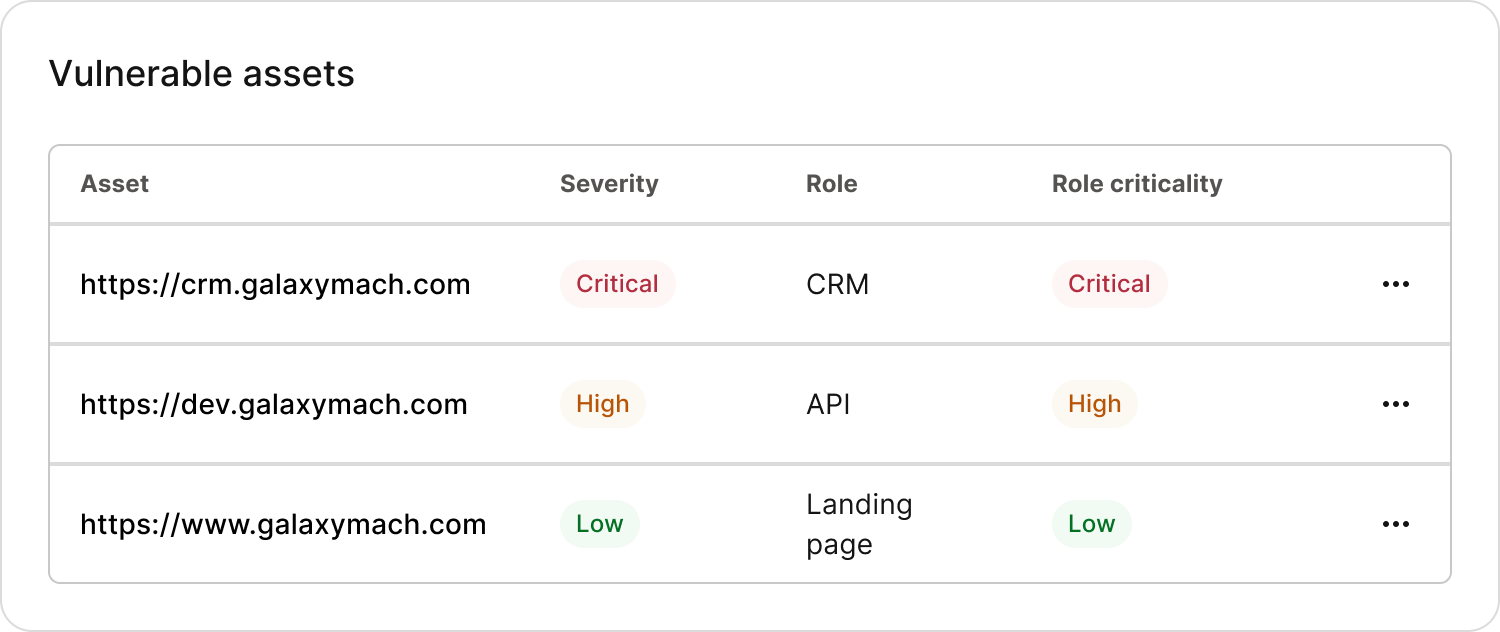
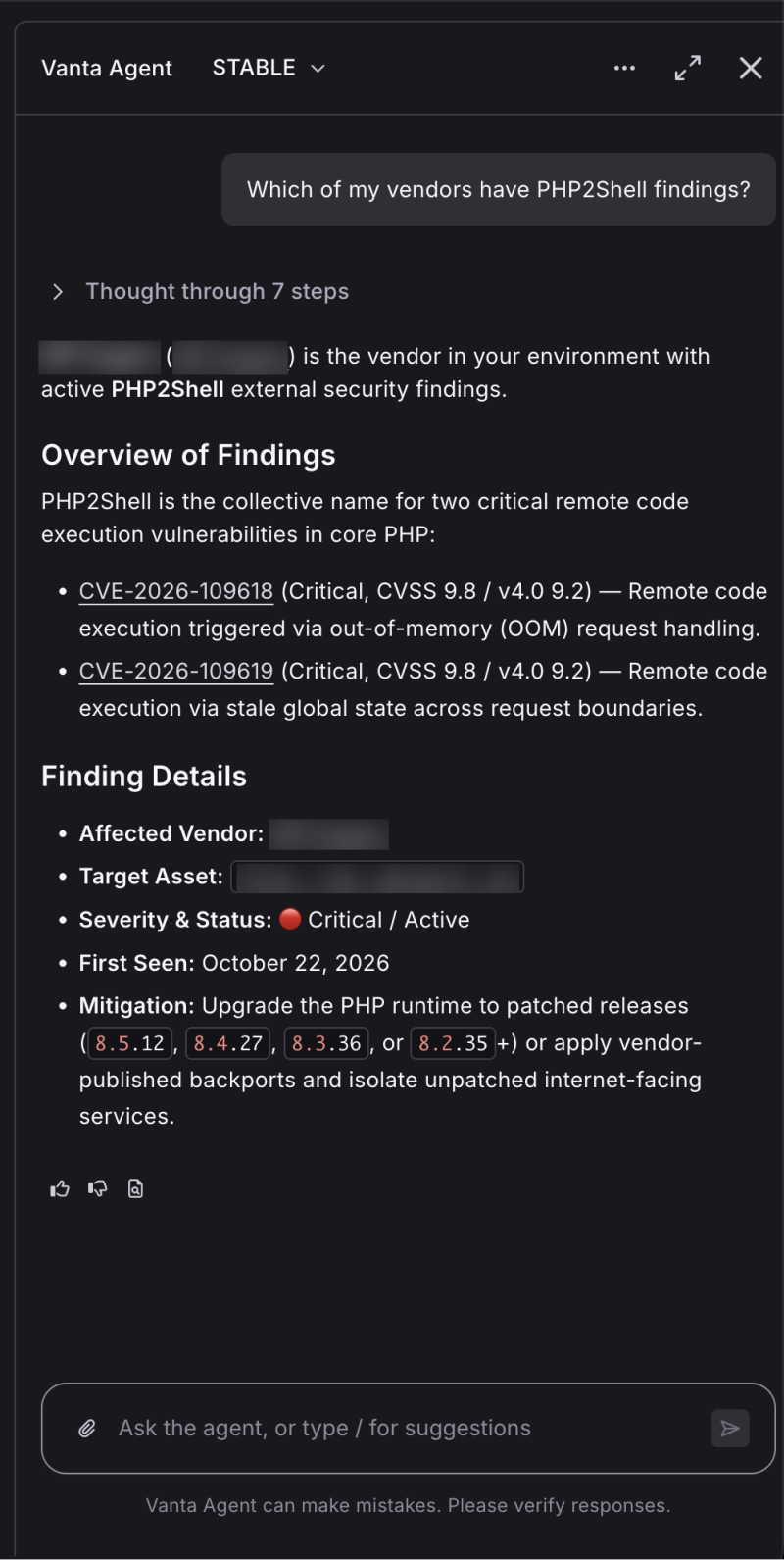
You can also use the Vanta Agent with Continuous Monitoring to explore PHP2Shell findings across your monitored vendors and get suggested follow-up steps. For example, ask:
The Agent draws on the monitoring findings available in your Vanta account, helping your team move from reviewing alerts to understanding what needs attention.
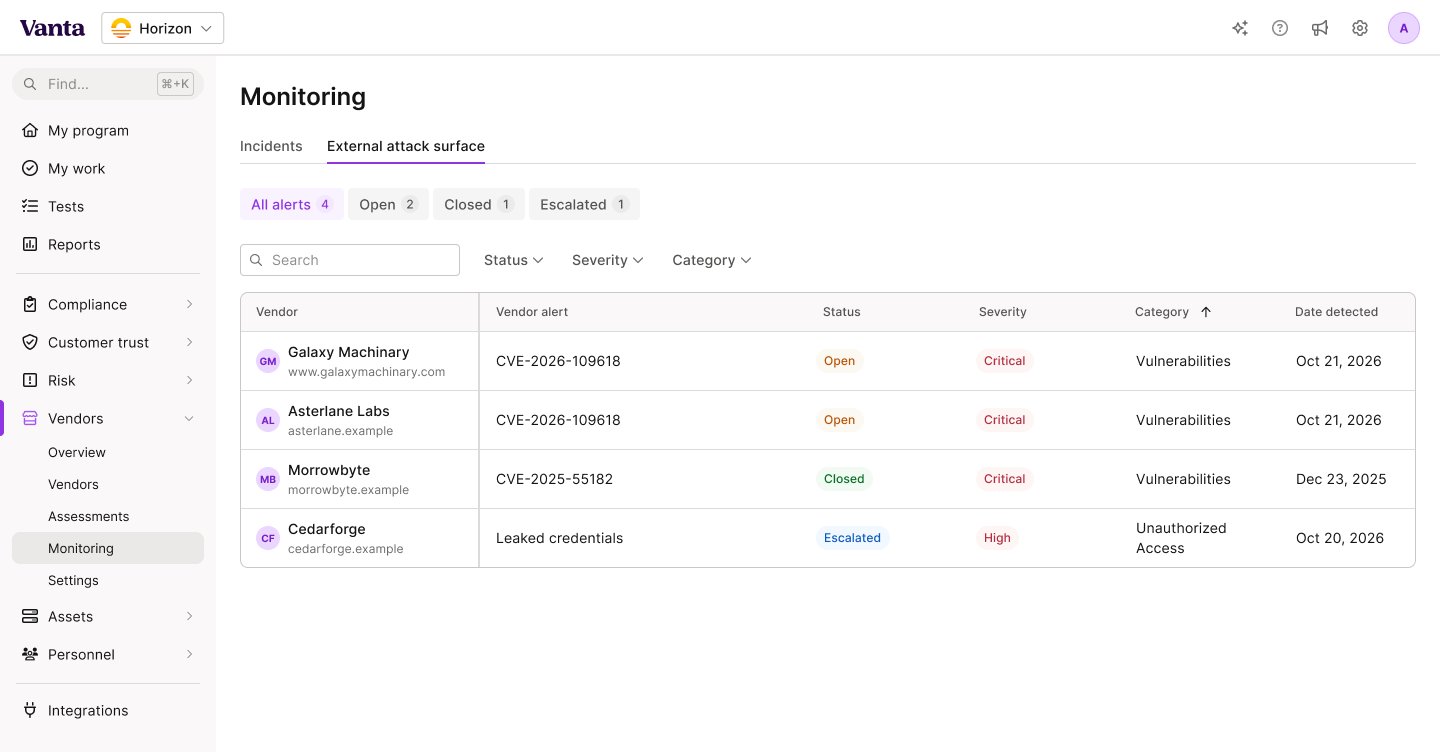
We’re here to help you manage this risk. If you use Vanta for TPRM, open Vendors → Monitoring to review relevant security alerts across your vendors.
For vendors that need further follow-up, start a new Vendor Incident assessment in the affected vendor’s Assessments view and send the associated questionnaire through Vanta Exchange. Vendors can upload an incident statement, giving your team a structured way to document their response and track follow-up in one place.
Follow up with vendors that are not meeting their stated SLAs for critical vulnerabilities. If a critical vendor cannot patch promptly, work with your service owner to reduce exposure. This may include restricting the vendor’s access to your data or internal networks, or temporarily pausing data syncing until remediation is confirmed.

Learn how to scale, manage, and optimize alongside your business goals.
.svg)
.svg)









.png)
.png)