Share this article


Accelerating security solutions for small businesses Tagore offers strategic services to small businesses. | A partnership that can scale Tagore prioritized finding a managed compliance partner with an established product, dedicated support team, and rapid release rate. | Standing out from competitors Tagore's partnership with Vanta enhances its strategic focus and deepens client value, creating differentiation in a competitive market. |
This past month, the Vanta team launched new features to help you:
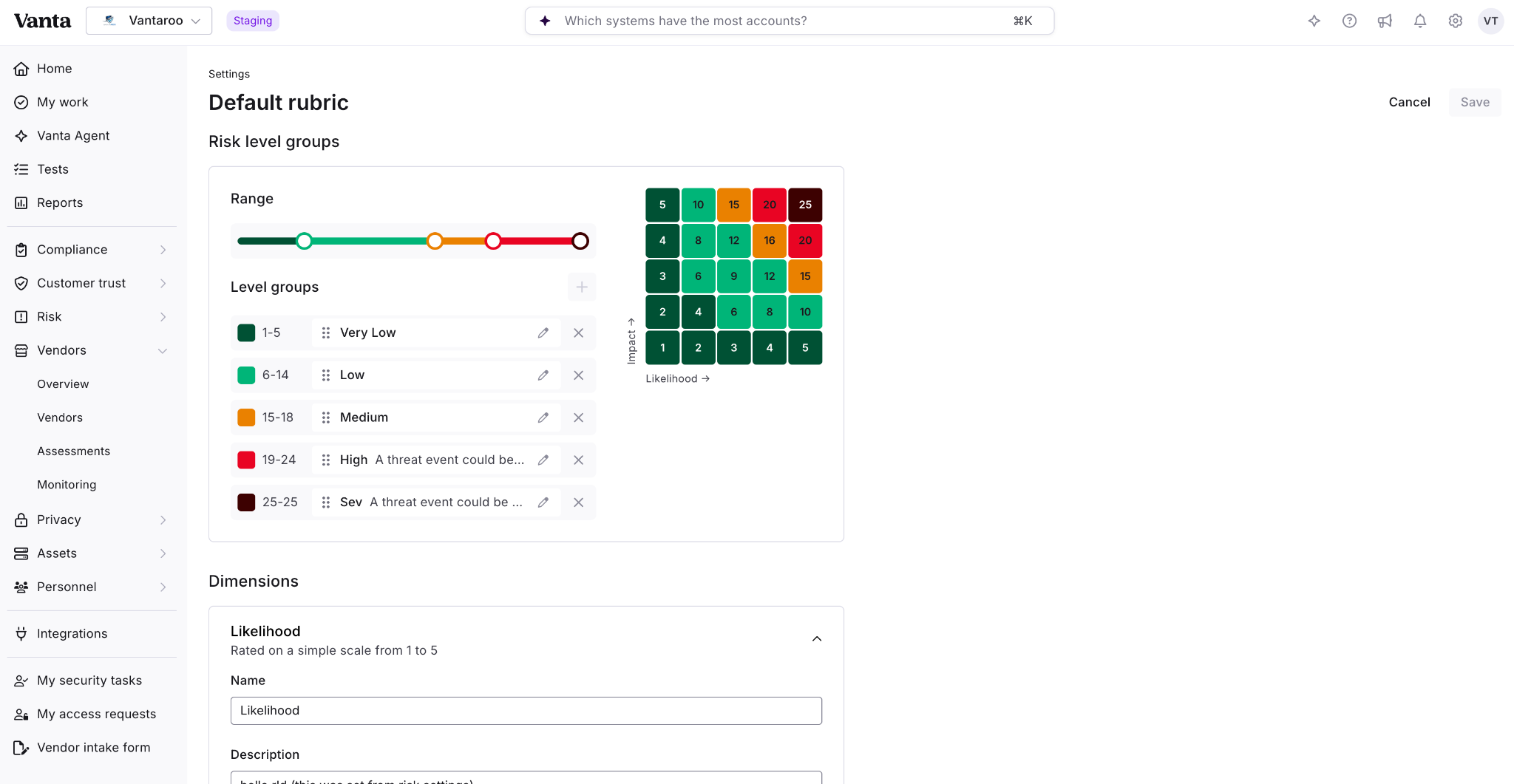
As risk programs mature, a single global scoring setup stops serving every team. A security team running a 5x5 matrix and a finance team managing fraud and insider risk often need different scales, risk levels, and definitions.
Now you can configure scoring per register. A new domain-level Scoring tab in Risk Settings lets you set a default rubric that all registers inherit, then customize scales, risk levels, and descriptions on a per-register basis. From this tab, you can see at a glance which registers use custom scoring and which use the default.
Key capabilities include:
The Vanta Agent can read and configure this for you, and more flexible scoring capabilities are on the way.
Available in preview as a part of Advanced Risk Management.
For customers running the same audit year over year, most of the work carries forward. When the auditor, frameworks, and scope stay the same, the bulk of an audit looks the same from one cycle to the next, with only incremental updates needed to reflect what's changed.
Now you can duplicate a past audit in a few clicks and start the new cycle already most of the way to ready. Vanta carries over your request list, control mappings, and request owners, and pulls in the latest version of any evidence you previously submitted through Vanta.
When you duplicate, you can update the details that change year to year, including the audit name, audit firm, observation window, and early access date. Auditors can add or remove requests after duplication, so the request list reflects exactly what this year's audit needs. The duplicated audit is its own engagement, so changes you make in one never affect the other. Vanta also flags anything that needs a fresh look, such as evidence sourced from outside Vanta, so you know exactly where to focus.
In preview later this month and available to Professional+ customers as part of the IRL experience.
As risk programs evolve, you need to create, rename, and retire registers, whether you're spinning up a new business unit, restructuring after a reorg, or sunsetting a product. The Vanta Agent and MCP can now support your register management by creating, updating, and deleting risk registers through natural conversation. You can ask the Vanta Agent to:
Look out for more agentic tools to help you manage your risk program soon.
Multiple Risk Registers are available as part of Advanced Risk Management.
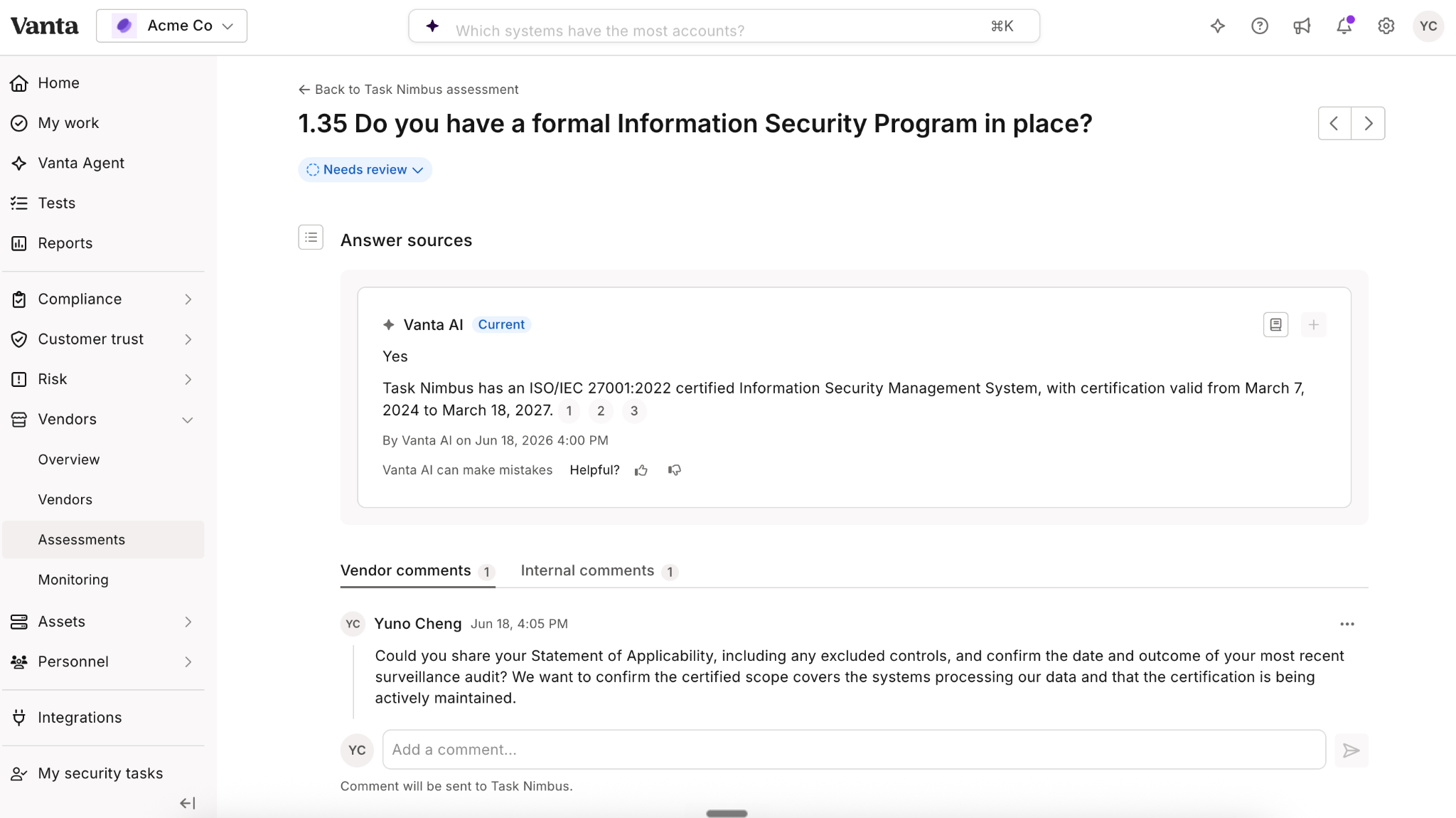
Traditional third-party risk workflows lean on static, one-directional communication. Buyers issue long questionnaires, vendors respond in isolation, and clarifying an answer or requesting more evidence often means restarting the review or juggling email threads. At scale, that creates operational drag and erodes confidence in the review.
With this release, you can now add comments to individual questions on an assessment questionnaire and filter for all questions with comments when reviewing. Comments run on two separate tracks for visibility control: internal among your team, or external between your team and vendor contacts through the Vanta Exchange. Any vendor who has accessed the Exchange receives an email when you comment.
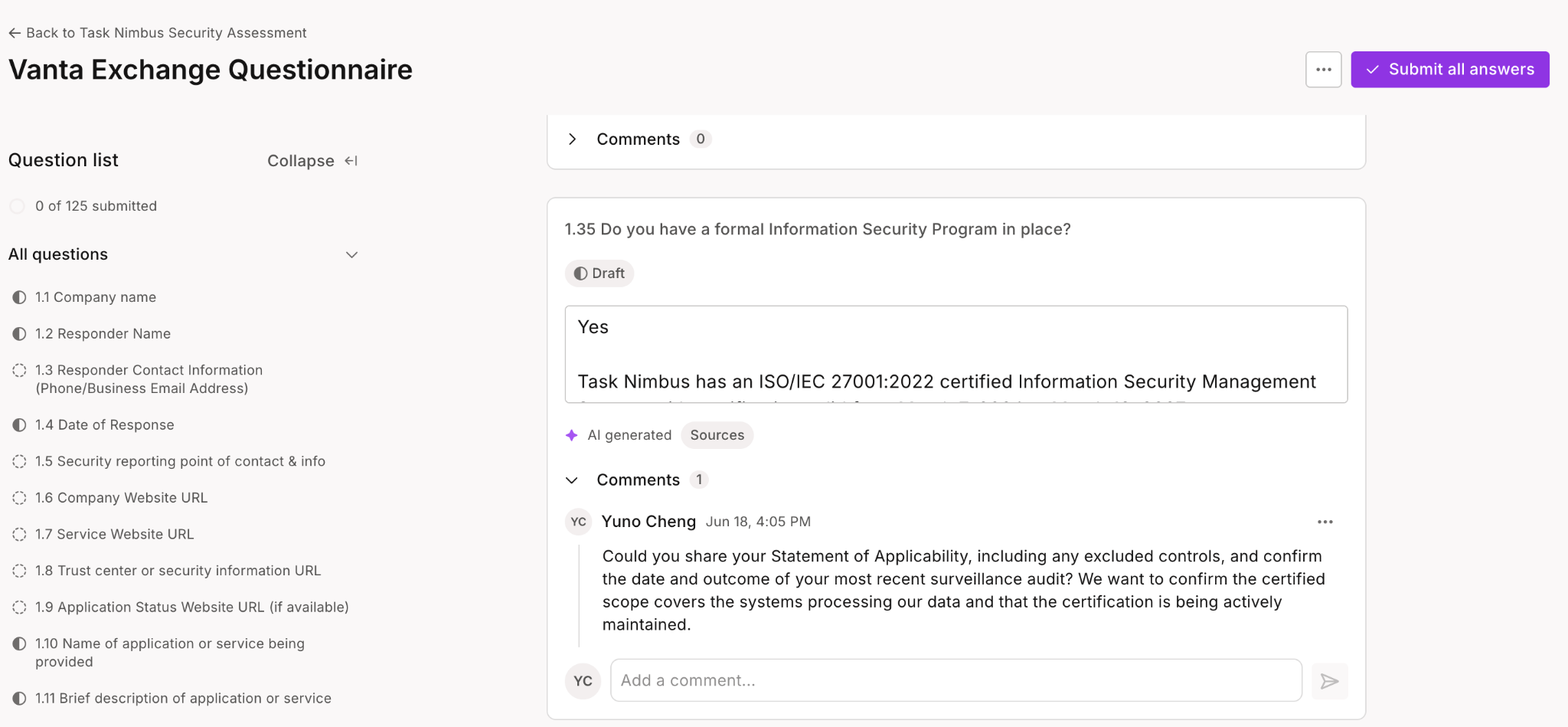
The result: buyers get answers faster, vendors add context where it's asked for, and assessments turn around more quickly.
Available to all TPRM and Advanced TPRM customers.
Log in to your Vanta account to try out these new features today. If you’re not a Vanta customer and want to learn more, request a demo.
As always, we welcome your feedback. Let us know what you think by reaching out to your Customer Success Manager, and stay in the loop on Vanta news on LinkedIn.

Learn how to scale, manage, and optimize alongside your business goals.
.svg)
.svg)









.png)
.png)