Share this article


Accelerating security solutions for small businesses Tagore offers strategic services to small businesses. | A partnership that can scale Tagore prioritized finding a managed compliance partner with an established product, dedicated support team, and rapid release rate. | Standing out from competitors Tagore's partnership with Vanta enhances its strategic focus and deepens client value, creating differentiation in a competitive market. |
This past month, the Vanta team launched new features to help you:
AI tools are rapidly changing the way we work, and more users are shifting to tools like Claude Code, Cursor, and more for their day-to-day tasks. These tools offer a simple, no-code method to orchestrate work across their tech stack. With Vanta’s remote MCP server, your trust program can now easily plug into these tools as well.
As of April 15, 2026, the Vanta remote MCP server is available to all customers in Public Preview. The MCP server connects directly to your compliance program in Vanta, including tests, controls, vendors, and more, so AI tools can query your program in real time.
For teams using Claude, there's an additional layer: the Vanta Plugin for Claude bundles the MCP connection with purpose-built remediation skills and slash commands (/vanta:list-tests, /vanta:fix-test). It enables users to discover failing tests, generate infrastructure-as-code fixes grounded in their actual repository, and open pull requests without leaving their editor. This covers 500+ cloud tests across AWS, GCP, and Azure.
Available on Essentials, Plus, Professional, and Enterprise plans.
Third-party risk is not just about security. Today, teams are responsible for evaluating vendors across privacy, legal, financial, AI, ESG domains, and more, often during a single procurement or renewal event.
With TPRM Multiple Assessments now fully rolled out, teams can run and manage multiple assessments concurrently within a single vendor lifecycle event. Rather than forcing every evaluation into a one-size-fits-all security review, teams can create domain-specific assessments in parallel, assign each to the right owner with tailored evidence collection, and bring everything into a single unified vendor view. AI-powered automation runs across all assessment types simultaneously.

Available to all Advanced TPRM (TPRM + Continuous Monitoring) customers.
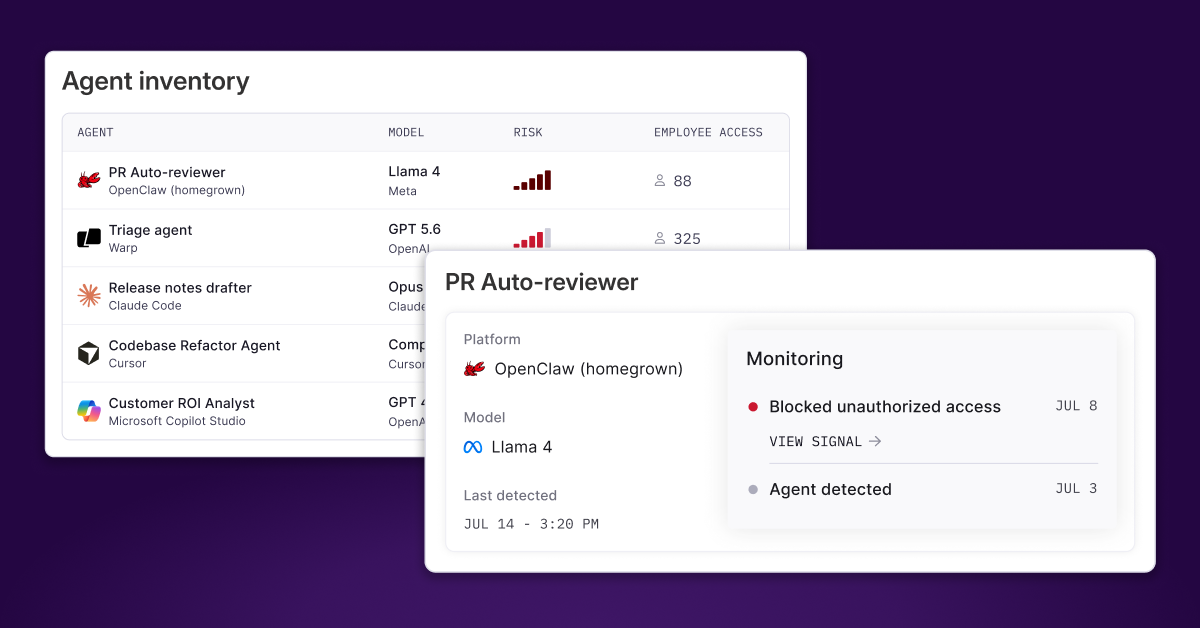
Expanded Vanta Agent coverage: Privacy (data processors, DPIAs, processing activities), Personnel (task completion, policy acceptance, device compliance at scale), and Questionnaire Automation (search knowledge base and questionnaire library) context now embedded in the Vanta Agent.
Outbound Webhooks: Real-time notifications when specific events occur like vendor creation, Trust Center access requests, questionnaire status changes, and more. No more polling the API.
Auto-tracking and auto-account assignment with Customer Commitments: Commitments are now automatically added to your inventory and automatically assigned to the right account. The full path from contract ingestion to tracked commitments runs end-to-end without manual intervention.
Log in to your Vanta account to try out these new features today. If you’re not a Vanta customer and want to learn more, request a demo.
As always, we welcome your feedback. Let us know what you think by reaching out to your Customer Success Manager, and stay in the loop on Vanta news on LinkedIn.

Learn how to scale, manage, and optimize alongside your business goals.
This past month, the Vanta team launched new features to help you configure risk scoring per register, manage risk registers through natural conversation with the Vanta Agent and MCP, and collaborate with vendors and internal teams directly inside TPRM assessments.
.svg)
.svg)





.svg)





.png)
.png)